Architecture
How Basically is put together: the layers, the boundaries between them, and how data moves when a program is edited, assembled, run, generated and shipped. Read it with the contributing guide. To bring up a new machine, continue to Adding a dialect.
The one rule to hold on to: the app talks only to the Dialect interface (src/dialects/types.ts) and the MachineEmulator it creates. Everything above that seam is machine-agnostic. Everything below it belongs to one machine.
The system at a glance
Basically is a client-side single-page application. There is no application server, no session and no account. The IDE (Vite + React) and this documentation site (VitePress) build into one static artifact, both installable as offline PWAs. The docs are served from /docs/ next to the app so the IDE can embed them in a drawer.
Four things cross the network. Three are optional.
| Traffic | Detail |
|---|---|
| Static assets | App, docs and the ROMs under public/roms/, same origin. The service worker precaches the app and docs; ROMs are cached on first use. |
| AI chat | Streamed HTTPS calls straight to the configured provider, using the user's own key. The key is stored locally and sent nowhere else. See src/ai/providers/ for the provider set. |
| Share links | The one first-party service. Publishing POSTs a program to the share API and gets a six-character id. VITE_SHARE_API_URL is read at build time; without it the UI reports "not configured". |
| Hardware transfer | Cassette audio through speakers and microphone, downloaded image files, or a WebSerial link to a microcontroller bridge. |
Layers
| Layer | Responsibility |
|---|---|
Presentationsrc/components/ · src/keyboard/ | React UI shell, dialogs, virtual input |
Application statesrc/app/ | Single store, request counters, run loop helpers, profiler |
Language toolchainsrc/dialects/ | The Dialect seam, registry and one folder per machine |
Emulationsrc/dialects/<name>/emulator/ · src/emulator/ | Machines, vendored CPU cores, shared chips |
Assemblersrc/asm/ | Paired assembler/disassembler engines per CPU |
Editor servicessrc/editor/ | CodeMirror language, completion, lint and analysis builders |
Reference datasrc/reference/ | Structured machine reference shared by the docs and the AI |
Integration servicessrc/ai/ · src/transfer/ · src/share/ · src/player/ · src/audio/ · src/storage/ | AI, hardware transfer, sharing, sound, persistence |
Operation layersrc/ops/ | One declaration per operation; every caller derives from it |
Headless toolchainsrc/cli/ · src/dialects/headless/ · scripts/basically | The same toolchain outside the browser |
The hostsrc/server/ · scripts/basically-server | The toolchain kept running, serving every caller over one socket |
The clientsrc/client/ · scripts/headless/cli.mts | Finds a host or starts one, does the file I/O, renders |
Language serversrc/lsp/ · scripts/headless/lsp.mts | The editor's own language help, served to any other editor |
Agent serversrc/mcp/ · scripts/headless/mcp.mts | The whole toolchain served to an agent, over a held machine |
Presentation layer
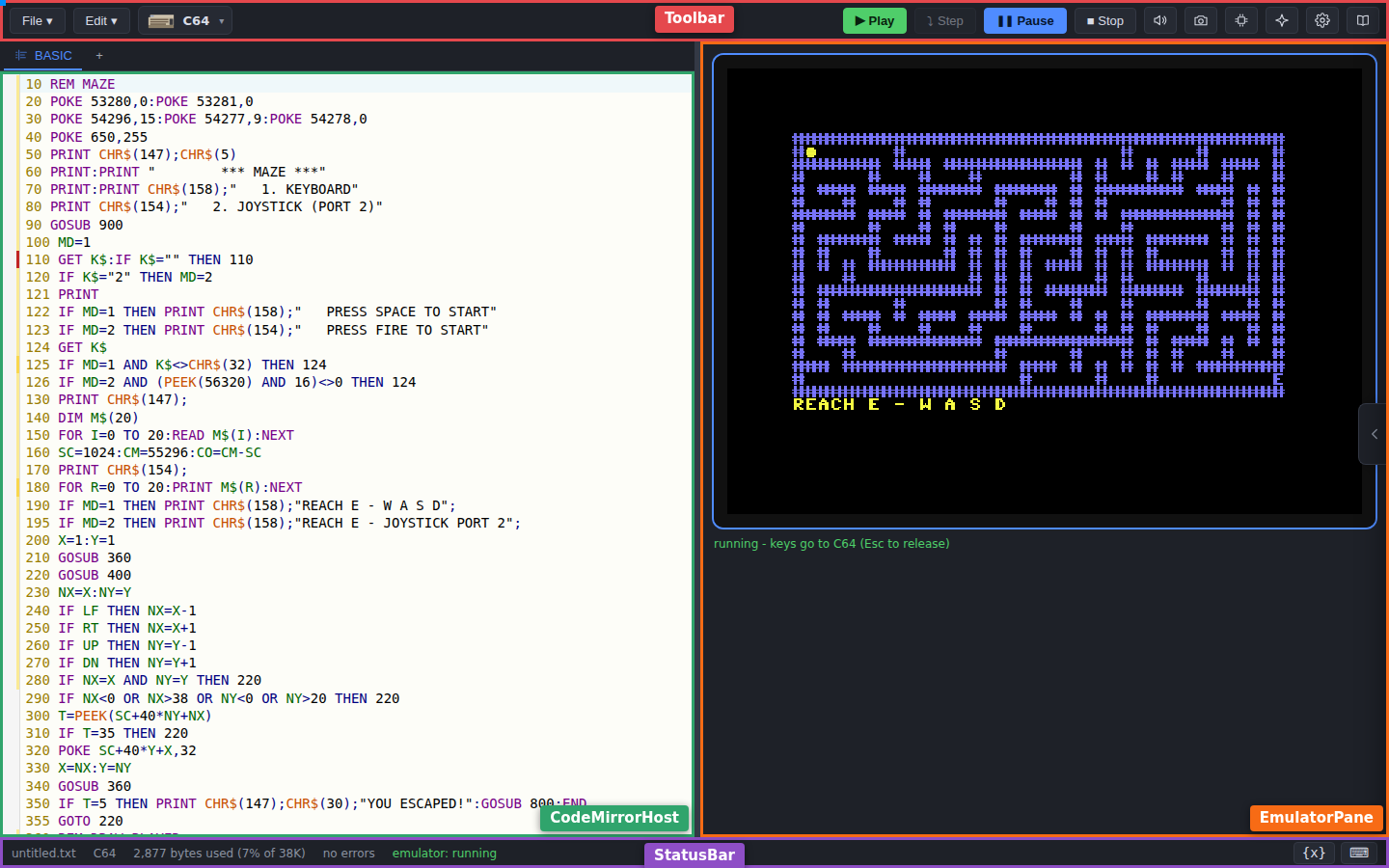
| Component | Role |
|---|---|
Workspace | Owns the editor/monitor split; tabs on phones, with a dedicated landscape layout |
Toolbar, StatusBar, MobileTabBar | Menus, target-machine control, run controls, byte-budget ticker |
EditorTabBar | Switches between the BASIC source, each block, each scratch buffer, and files a program saved |
CodeMirrorHost, AsmEditor, ByteEditor | The BASIC editor, a code block's assembly editor, and a memory block's byte editor |
EmulatorPane | Hosts the canvas, drives the run loop, owns the machine instance |
AiPanel, MemoryMapPanel, VariableWatcher, DocsDrawer | Take over the monitor slot when opened. DocsDrawer embeds /docs/ in an iframe and talks to it over postMessage |
| Dialogs | New project and machine picker, transfer, import, settings, share link, outline, run profile, block settings, target switch, welcome |
NewProjectDialog is the single place a program starts: machine, project name and starting point (blank, a bundled sample, or a description for the AI). Nothing loads implicitly. A first launch and an empty-editor target switch both leave the editor empty.
The virtual keyboard and game controller (src/keyboard/) are pure data-driven renderers. Each dialect supplies a KeyboardLayout (layers, legends, glyphs, matrix tokens); the keyboard code holds no per-machine logic.
The same layouts carry a machine-independent vocabulary of key names. src/keyboard/keyNames.ts resolves a written name - a letter, SPACE, ENTER, SHIFT, a cursor key, a function key - to the matrix tokens that machine presses for it, reading only what the layout declares: the editor action on a legend, the modifier role on a key. It never strips a prefix off a key id and never matches a legend glyph, because both press the wrong key silently on a machine whose key positions and key meanings disagree. keyVocabulary lists what a given machine answers to, and a name it has no key for is refused rather than mapped onto a neighbour. src/keyboard/keyNames.test.ts holds every registered machine to that on layout data alone; the every-machine crosscheck in src/ai/machineObservability.test.ts boots each one on its real ROM and presses every name it offers.
Application state layer
One store, useIdeStore (src/app/store.ts), holds three kinds of state:
| Group | Contents | Lifetime |
|---|---|---|
| Document model | Source, file name, dirty flag, memory blocks, listing-block overrides, scratch buffers, preserved tape files, auto-start line, verbatim boot disc | Autosaved and saved together; reset as a unit when a different program becomes active |
| Session state | Active dialect, emulator status, live memory figures, breakpoints, paused line, block assembly errors, run profile | Per run |
| Settings and UI | Panel and dialog visibility, split ratio, every persisted preference | Persisted on change |
Components subscribe through narrow selectors (useIdeStore((s) => s.source)). A second store, useAiStore (src/ai/aiStore.ts), holds the chat thread.
Cross-module commands use a request counter, never a shared handle. The toolbar bumps runRequest; a useEffect in EmulatorPane keyed on the counter reacts. stopRequest, pauseRequest, resetRequest, stepRequest, continueRequest, romChangeRequest, docOverride and aiResetSeq follow the same shape. Modules stay decoupled and the state stays serialisable.
Language toolchain: the Dialect seam
src/dialects/registry.ts is the source of truth for which machines ship. getDialect(id) throws on an unknown id; findDialect(id) returns undefined. Each dialect folder implements one interface:
| Group, and what it is for | Members |
|---|---|
| Identity The machine picker, sorting and search, the docs page it shares | id, name, manufacturer, year, basicDialect, basicFamily, blurb, docsReference |
| Text ⇄ bytes Editor text to a loadable image and back; errors as TokenizeError[], never thrown | tokenize, detokenize, detokenizeWithReport, lint, charset, crunched, statementSeparator |
| Editor feed Highlighting, completion, line handling | keywords, operators, languageSupport(), completionSource, unnumberedLineKey |
| Hardware I/O Native image export and import, cassette encode/decode | buildTargets, binaryImports, audio, fileExtensions |
| Memory What the memory-map viewer draws; where blocks may live; the RAM budget | memoryMap, memoryBlocks, addressNotation, memoryWrites, memoryReads, programRamBytes |
| Machine The emulator and what the UI feature-detects on | createEmulator(), romUrl, romBytes, emulatorSuppliesRom, displaySize, displayControls, keyboardLayout, joystickModes, joystickFireButtons, capturesDataFiles, unwrapStoredFile |
| Assistant The machine-specific prompt; bundled programs | aiProfile, samples |
Capability flags are optional on the type and the UI feature-detects on them: romUrl is absent for a machine that needs no ROM, debuggable gates the debugger, supportsBinaryLines gates #BIN records.
Where a machine's ROM comes from is the machine's own fact, and there are three answers rather than two: no ROM at all (no romUrl), the emulator's own set (emulatorSuppliesRom), or one of the product's images under public/roms/. canRunMachine() in src/dialects/bootHarness.ts is what turns those into the single question every caller asks - can this installation run it? - and it is not the same question as hasRom(), whether the ROM is available. A published toolchain carries no images, so answering from the file alone would report machines that boot perfectly as unrunnable. src/dialects/canRun.test.ts holds every registered machine to the rule; src/dialects/screenPaints.test.ts runs everything that rule lets through.
A listing can also declare which machine it's for, on a #MACHINE <name> line
- the same shape as
#BIN, but universal rather than gated per dialect, so no tokenizer is taught it.src/dialects/machineDirective.tsrecognises and strips the line;src/dialects/resolveListing.tsis the one point, above the seam, that reads it, resolves the named dialect against the registry, and maps tokenizer positions back onto what the user typed. Every path that turns a listing into bytes - the editor lint, the run/export/share paths, the CLI'slint/build- routes throughresolveTokenize/resolveLintthere rather than callingdialect.tokenize/dialect.lintdirectly, so a path that forgot would be the one place a declaring program behaved differently from the rest.
One address, one definition
A dialect declares each hardware address once, in its sysvars.ts or addresses.ts. The memory map, block linter, file formats and emulator all import it from there. Values shared by a family live one level up (for example src/emulator/bbc/addresses.ts, src/emulator/commodore/basicPointers.ts). Values that merely happen to be equal stay separate.
memoryMap.ts stays a table of literals so it reads as a table. Tests keep it honest: each dialect's memoryMap.test.ts pins its regions to the canonical constants, and src/dialects/memoryMap.test.ts checks every registered map against the program base its memoryBlocks reports.
Emulation layer
Dialect.createEmulator() returns a MachineEmulator. The required surface is small; everything else is a capability the app feature-detects per machine.
| Required | Optional |
|---|---|
loadProgram(image, opts), runFrame(), frameHz, renderTo(canvas), reset(), dispose() | readAudio(), readVariables(), readReport(), readMemoryStats(), readScreenText() |
Key and joystick input (keyEvent, setKey, releaseAllKeys, setJoystick) | Memory-activity tap: setMemoryActivityRecording() / drainMemoryActivity() |
isProgramRunning() (null while the machine is still being handed a program) | Debugger: currentLine() / debugStep(). Profiler: setProfileRecording() / drainProfile() |
loadProgram's options carry the rest of the document model: memory blocks written into RAM, extra tape files mounted on the virtual tape, an auto-start line, or a boot disc that supersedes all of them. createEmulator also receives a MachineFileStore, the virtual filesystem a program's file I/O lands in. unwrapStoredFile on the dialect says how a stored file splits into payload and container; absent means the stored bytes are the payload.
Obligations every machine is held to
Optional on the type is not optional in practice. Registry-driven tests under src/dialects/ hold every machine to each obligation. Where a machine is excused, the test's own table names it and the hardware reason, so an absence is a decision somebody wrote down.
| Obligation, and the test that holds every machine to it | Notes |
|---|---|
Report whether a program is runningprogramRunState.test.ts | A program that terminates must report true then false within bounded frames. Machines without a ROM cell for it latch the address where BASIC gives up (src/emulator/programEndLatch.ts) |
Screen readable as textscreenReadable.test.ts | No excuses table; every registered machine implements readScreenText() |
Memory-activity tapmemoryActivity.test.ts | Needs a non-recording read (peek / rawReadWord) beside the CPU's read, so the IDE's own polling is not painted as program activity |
BASIC pointers for the RAM budgetprogramRamBudget.test.ts | readMemoryStats() |
Debugger pairdebugCapability.test.ts | currentLine() + debugStep() |
Per-line profilelineProfiling.test.ts | Always-on, charged in the machine's own cycles (src/emulator/lineCostRecorder.ts) |
A debug slice equals a framedebugEquivalence.test.ts | See below |
Come up without its ROMromImage.test.ts | A machine handed an empty image loads, runs and renders rather than throwing, and draws a notice saying the image is missing (src/emulator/romNotice.ts). See below |
File its ROM where the scheme saysromLayout.test.ts | public/roms/<dialect id>/, checked from both ends - every romUrl and every committed image. jsbeeb's literal paths, one image two machines share, and a folder whose machine is built but not yet registered are declared exceptions in the test |
A missing ROM is a state, not a crash. The images with no redistribution grant are meant to be removable (public/roms/ATTRIBUTION.md), so a checkout without one stays usable. A machine that takes its ROM through the seam is handed an empty image, and must construct, accept a program, run frames and render - drawing the shared no-firmware notice (src/emulator/romNotice.ts) instead of its own picture, in the host's font because the character generator is in the ROM that is missing. What it must not do is answer about a program it never ran: isProgramRunning() is null, not false. Machines that fetch their own ROM sets rather than taking opts.rom catch the failure and draw their own load-error banner instead. What a machine does with a wrong-length image is its own business and deliberately not uniform - the Sinclairs refuse one, the Apple I accepts a monitor-only image because that is a real Apple I.
Where the images come from differs by surface. In the browser they are fetched from the app's own origin. Outside it, findRomRoot() (src/dialects/headless/romRoot.ts) answers for the runner, the held-machine session and the command line's ROM probe alike, in this order: a set the command line downloaded and holds complete, then this installation's own public/, then a downloaded set that is short of the published one. A root the caller named overrides the lot - --rom-root on run or check, else BASICALLY_ROM_ROOT for the installation, resolved in the client before either reaches a host.
Downloading is the command line's own work and happens in its own process, never in the host: obtaining images writes to a user's disk and asking about it needs a terminal, and the host has neither. So src/cli/romCache.ts (the manifest, digest verification, the periodic re-check) and src/cli/romConsent.ts (the question and its record) are reached only from scripts/headless/cli.mts, before it starts a host and before it reads a program from standard input - run and check take theirs from there, so a question asked afterwards would read its answer from a stream that has already ended. findRomRoot() itself never downloads and never asks; discovery and acquisition are deliberately separate, so machines can report what is here without touching the network.
Two constraints hold that shape in place. src/ops/ may import neither the filesystem nor the network, so the operations know only whether a ROM is present (RomProbe); and the command line's own bundle deliberately excludes the dialect registry, which is why src/cli/romsReport.ts counts images rather than machines.
A debug slice is a frame. A debug session opens on an ordinary press of Play, so debugStep() is how most machines are usually run. Everything runFrame() does around CPU work (profiler charge, cycle counter, frame counter, sound flush) must happen in a slice too. A machine therefore does not write two loops: src/emulator/machineLoop.ts owns the walk over the frame's cycle budget, breakpoint arming and line watch, and createMachineLoop(contract) returns the runFrame/debugStep pair. The machine supplies only its step() and the per-slice hooks. A machine with no currentLine() may keep its own loop, with the reason written at its runFrame.
Where machine code lives
| Pattern, and where it lives | Example |
|---|---|
Self-contained machine over a vendored CPUsrc/dialects/<name>/emulator/ | The Sinclair machines over src/emulator/z80/ |
In-tree machine with its own chipsetsrc/emulator/<name>/ | src/emulator/cpc/ (gate array, CRTC, PPI) |
Adapter around a third-party coresrc/emulator/<name>/ | src/emulator/bbc/ around jsbeeb; src/emulator/c64/ around viciious |
Interpreter, no CPU or ROMsrc/dialects/<name>/interpreter/ | The TRS-80 Level II backend |
Interpreter shared by several machinessrc/emulator/<language>/ | src/emulator/dartmouth/, parameterised by a DartmouthProfile |
Shared chips and helperssrc/emulator/<chip>/, src/emulator/*.ts | ay/ (AY-3-8912), i8080/, commodore/, microsoftBasicVars.ts |
Vendored cores (src/emulator/z80/, src/emulator/6502/cpu6502.js, src/emulator/c64/viciious/, the jsbeeb package) are third-party and never hand-edited. See Don't touch.
Vendored core caveats
What each core does not model, and what the adapter makes up for. A machine built on one of these inherits its limits, which is the effort estimate behind the roadmap.
| Core | What it does not model, and what the adapter does about it |
|---|---|
| Z80 | Reports total T-states per instruction, not when each bus access happened, and has no floating bus. The Spectrums charge ULA contention against a believed CPU position, re-synced at each instruction boundary (src/dialects/zxspectrum/emulator/ulaContention.ts). A raster sync reading port 0xFF will not work. |
| Z80 as 8080 | The 8080 fills P with parity where the Z80 uses overflow, and applies DAA as for an addition. src/emulator/i8080/ restores both, and any 8080 machine uses it rather than repeating the tables. |
| viciious | Public-domain subset of upstream 69f0dc6, PAL only, no sprite DMA, ~40 upstream TODOs. It fetches the character matrix on a bad line but never pulls BA, so src/emulator/c64/badLines.ts models the arbitration and c64Machine.ts withholds the CPU tick on the cycles the chip owns. Its index.d.ts is repo-authored. |
| jsbeeb | Its model table carries only the models it ships, so machines it lacks are blocked upstream rather than merely expensive. Nothing to make up for. |
Auto-RUN after load | OS keyboard-buffer addresses differ between OS versions, and power-on timing differs between models. Machines type RUN through the key matrix instead, which is OS-version independent. |
Assembler layer
src/asm/ holds one paired assembler/disassembler engine per CPU behind an AsmEngine interface, looked up with asmEngineFor(cpu). A single instruction table drives both directions, so bytes disassemble to text that reassembles to identical bytes. disassemble() tiles every byte; disassembleReachable() follows control flow from the entry point and emits unreachable bytes as DB. Diagnostics are AsmError[], the same shape as TokenizeError.
Editor services
src/editor/ holds generic CodeMirror 6 builders parameterised by the Dialect:
- A
StreamLanguagehighlighter from the keyword table; keyword, variable and construct completion sources. dialectLinter, which wrapsdialect.lint()into CodeMirror diagnostics.- Line numbering and renumbering, the program outline, and POKE-address detection that feeds the memory-map markers.
- Variable analysis: identity under the machine's significance rules, usage highlighting and undeclared-variable lint.
- Case normalisation as you type, and inline chips for
#BINrecords and control codes. - A
CrunchMatcherfacet for dialects whose ROM ignores spaces and matches the longest keyword at every position (POKEA,10isPOKE A,10).
The builders know no machine. The one exception is the construct-template table in constructs.ts, keyed by dialect id.
Shared reference data
src/reference/ holds the machine reference in structured form: one table per reference page listing every command, function and operator; language-rule and hardware facts; per-capability porting advice; escape-code tables; and compare.ts, the diff logic behind the porting comparison. Crosscheck tests pin all of it to the real dialects.
Two consumers, by design. The docs render it; the AI assistant composes it into every request. The same data serves both, so what the assistant is told and what the user is shown cannot disagree. describePort mirrors the comparison page's calls one for one.
Two boundaries hold this in place:
- Nothing here reaches the dialect registry. The docs runtime cannot afford it (every dialect index pulls in an emulator core).
machines.tsrestates what the registry knows;machines-crosscheck.test.tskeeps it honest. - The app reaches it only through a dynamic
import()insrc/ai/machineReference.ts. The tree is tens of thousands of lines the assistant alone needs, so it is code-split per page. An ESLintno-restricted-importsrule refuses static imports ofsrc/reference/**.
loadMachineReference throws for an unregistered page, because a test sweeps every dialect. loadReferencePage / loadEscapePage return undefined, because their caller is a click that must still do what it can.
Which page a machine reads from, and where a keyword's entry in it is published, are stated once in src/dialects/referencePage.ts. It answers to a shape rather than to a Dialect and imports nothing, so it sits inside both boundaries above: the app routes its own docs drawer through it, and the language server - which has no /docs/ mount to resolve against - composes the absolute address it names into the explanation it sends.
Integration services
| Service | Contents |
|---|---|
AIsrc/ai/ | Provider registry with lazy-loaded SDK backends; aiClient.ts exposes one streamChat(); prompt builder; code extractor and merger |
Transfersrc/transfer/ | WAV packing, speaker playback and microphone capture, the CRC-checked WebSerial bridge (protocol). Cassette codecs and image formats stay per-dialect |
Share and playersrc/share/ · src/player/ | shareClient.ts publishes and fetches; compatibility.ts decides which other dialects can open a program; routes.ts maps /<verb>/<id> to a machine and stays dependency-free so the share backend can bundle it; PlayerApp.tsx is the emulator-only shell |
Emulator audiosrc/audio/ | A Web Audio AudioWorklet ring buffer the run loop pumps readAudio() into |
Storagesrc/storage/ | Typed accessors under the mbide.* namespace, the .zip project bundle, File System Access helpers with a download fallback, custom ROM images, the virtual filesystem |
src/storage/safeStorage.ts installs an in-memory stand-in when the browser blocks site data, so the app still starts. Autosave writes a per-tab sessionStorage slot with a localStorage backup. Custom ROMs are the one store that reports write failure instead of swallowing it: an upload that silently did not stick is indistinguishable from a broken feature.
The emulator virtual filesystem
src/storage/vfs/ is where a running program's file I/O lands when a machine traps it. The authoritative store is a synchronous in-memory map, because ROM traps fire between instructions and cannot await. Every mutation is mirrored into IndexedDB through RxDB (loaded dynamically on first use), and read back when a machine starts, so a file outlives the session that wrote it.
- Lifetime. Files are kept per machine and per browser tab. Starting, stopping, pausing and resetting keep them. Only the document-lifecycle actions in the store discard them: a target switch, the player boot, and every path that replaces the open document.
- Mounted content (the document's blocks and imported tape files) is flagged
mountedand never persisted. - Projection, not mirror.
src/app/dataBlocks.tsprojects the store's listing to theDataBlocktabs the editor shows, subscribed throughuseSyncExternalStorewith a throttled wake. There is one copy of the bytes. ADataBlockhas no address and is not part of the document, so it is a separate type fromBlock.
Third-party libraries
| Library | Role |
|---|---|
| React 18 + Zustand 5 | UI and state |
| CodeMirror 6 | Editor: language, autocomplete, lint, search |
@anthropic-ai/sdk, openai, @google/genai | AI provider backends (lazy-loaded) |
| jsbeeb | BBC core, and the 6502, video and sound chips other machines reuse |
| Vendored Z80, 6502 and viciious cores | Under src/emulator/ (see licences and attribution) |
| fflate | Zip codec for the project bundle |
| RxDB + RxJS | Reactive IndexedDB store behind the virtual filesystem (lazy-loaded) |
Vite 6 + vite-plugin-pwa | Build, dev server, service worker |
| VitePress (+ mermaid, lazy-loaded) | This documentation site |
| Vitest 4 + Playwright | Unit and end-to-end tests |
Data flow
Running a program
Pressing Play bumps runRequest. EmulatorPane reacts, builds the machine if needed, tokenizes the source into a full memory image, and flash-loads it the way the ROM would load from tape. The build step is dialect-specific; the shape is the same for every machine.
- Edit. CodeMirror owns the text; the store mirrors it as
source. Replacing the buffer's contents (open, AI apply, target switch) goes throughdocOverrideas an ordinary transaction, so it stays undoable. Showing a different buffer swaps a parkedEditorState(src/editor/bufferHistory.ts) withview.setState, which no history sees. - Gate. The run is refused on editor lint errors (when the setting is on) and on any error-severity block problem: out of range, overlapping, or colliding with the program.
- Build the machine. On first run for a dialect, fetch and cache the ROM (a user-installed ROM takes precedence), then
createEmulator(). - Tokenize.
resolveTokenize(dialect, source)-dialect.tokenizewith a#MACHINEdeclaration honoured - yields the bytes, the loadable image, the byte size for the RAM budget, and any errors. - Load and run.
loadProgramwrites blocks into RAM, mounts tape files and starts the program. ArequestAnimationFrameloop paints each animation frame;src/app/frameClock.tsconverts elapsed time into whole machine frames atframeHz, so emulated speed is not a property of the display's refresh rate. On a debuggable machine the loop callsdebugStep()on every run, since a session opens on Play and simply never pauses unless a breakpoint is set. A document with a boot disc skips all of this and boots the disc verbatim.
Editing and linting
Two debounced consumers run the tokenizer as a dry run while the user types. No machine is involved.
Once a machine runs, the status-bar figure switches to machine.readMemoryStats(), the machine's own BASIC pointers, and falls back to the estimate when the machine cannot report them.
Memory blocks and assembly
A document is BASIC source plus zero or more blocks: bytes destined for a fixed address. A code block is edited as assembly; a memory block as bytes. Block is the union of the two. Blocks get their own editor tabs and travel with the document through autosave, the project bundle, cassette export and share links. Older documents spell a memory block 'data'; the shared bundle parser maps it to 'memory'.
For dialects with supportsBinaryLines, blocks are derived rather than stored: they are the #BIN records in the listing, and the store keeps only the name, kind and comment overrides the record cannot carry (src/app/listingBlocks.ts).
AI assistance
The AI path runs beside the run path and meets it twice: lint errors flow into the prompt, and runtime errors flow back into the chat. An answer that carries code is run as soon as it arrives, on the visible machine, without touching the editor. By the time the apply buttons exist, the checking is over.
Prompt composition
- System prompt: the machine's composed reference, then the dialect's
aiProfile.systemPrompt, then the sharedRETURNING_CODE_RULES. Byte-stable per dialect, so provider-side prompt caching works. aiProfileprose carries only what no table holds: speed, hardware registers, how escapes are written here, the reply format.- The user message embeds the current program and up to 20 tokenizer errors.
- Ports take a second path through the same data.
src/ai/portReport.tsreads the program's vocabulary as the source machine and composes the findings viadescribePort(). Findings ride in the user turn, not the system prompt, because they vary with the program. The source machine crosses the docs-iframe boundary asfromId; it is never inferred from the selected dialect.
Applying an answer
- Each block is a whole listing or a fragment. The model declares which by fence tag (
```basic/```basic-partial);classifyBlock()cross-checks the line numbers. Conflict resolves tounknownand the panel asks the user. - Only valid actions are offered: merge for a fragment, replace for a listing, both for
unknown. Applying goes through the editor's undo history. mergePlan()computes what a merge changes;mergeBasicLines()is defined in terms of it, so the inline diff cannot drift from what applying does.
Checking an answer (src/app/aiRunCheck.ts, src/ai/aiStore.ts)
- A genuine runtime error (not OK, STOP or BREAK) is corrected automatically, up to two attempts per answer, then offered as a one-click fix.
EmulatorPaneprefersaiRunSourceoversourcewhenaiRunCheckSeq === runRequest. Every other run is the editor's program.- The staleness guard compares
baseSource, not what ran: whether the user has moved on is a question about their program. - A check never opens a debug session (
shouldOpenDebugSession()), or it would inherit the user's breakpoints and hang. - The screen shown to the user rides on
finalScreen, never onChatMessage.image: prior turns' images are replayed to keep the cached prefix stable, so a user-facing picture there would be re-sent every turn. - A hidden tab gets no animation frames, so the check falls back to a timer.
- Providers report why generation stopped. An answer cut off by the output limit is marked incomplete and offers no apply actions.
Profiling
Every run measures itself. There is no profiling mode. While a program runs, the machine charges CPU cycles to the BASIC line executing (src/emulator/lineCostRecorder.ts), and the run loop samples the machine's memory pointers on a fixed cadence of emulated frames. src/app/runProfile.ts turns the raw figures into shares of the run per line and per routine, and RunProfileDialog shows them. Every duration is emulated time, so the speed multiplier and the display's refresh rate never change a figure.
Hardware transfer
Transfer is two-way and funnels through the seam: the dialect owns byte formats and cassette codecs; src/transfer/ owns the machine-agnostic plumbing.
Import is not always lossless. detokenizeWithReport() returns the recovered source plus what the text form could not capture, so the Import dialog can warn. Anything recovered beyond the listing (CODE blocks, extra tape files, an auto-start line, a boot disc) lands in the document model and travels with it.
Publishing and the player
Publishing mints a short URL that boots the program in an emulator-only shell.
parsePlayerPath() decides at boot whether the bundle renders the IDE or the player. Every verb is a real keyword from that machine's own BASIC, the verb table stays in bijection with the registry, and anything that is not a known verb plus a valid id falls through to the IDE.
Persistence
| Store, and when it is written | Holds |
|---|---|
localStorage (mbide.*)On change; ROMs on install | Settings; AI provider and per-provider API keys; custom ROM images; autosave backup |
sessionStorage (per tab)Every 2 s while changed; conversation throttled to 1 s | Autosave slot: source, name, blocks, listing-block overrides, scratch buffers, tape files, auto-start, boot disc; AI conversation |
| IndexedDB (RxDB) Fire-and-forget on every file mutation | The virtual filesystem mirror, scoped by machine and tab |
.zip project bundleOn Save, through File System Access with a download fallback | program.bas, blocks/<name>.bin, blocks/<name>.asm, scratch buffers, project.json for the dialect id and fields with no file |
Autosave holds only real work: an untitled empty editor, or an untitled unmodified sample, is cleared rather than restored. Naming a project makes it real straight away. The autosave path reuses the bundle's wire codecs, so both agree on one shape. Opening accepts the bundle, the older .bproj, or plain .bas/.txt source.
The toolchain outside the browser
scripts/basically runs the same toolchain under Node: describe a machine, lint a listing, build it into the file the machine loads, or run it and report the screen, the measurements of the run, and what its variables hold. Only run needs a ROM. scripts/basically.cmd is the same entry point for cmd.exe and PowerShell, and has to stay in step with it.
It is two programs. scripts/basically-server is a host that keeps running and holds what is expensive to prepare - the toolchain, the ROMs, and a machine; scripts/basically is a client that parses what the user asked for, reads and writes the files involved, and asks the host to do the work. A command that finds no host starts one, so nobody has to know whether one is running. Both have a .cmd twin, and both are built by one scripts/headless/build.mjs run that also writes the build id keying the address they meet at - so a client never reaches a host built from different source.
The same build emits launchers of those two names, and their .cmd twins, into the bundle directory: the scripts/ pair without the rebuild-when-stale scan, which is what a checkout wants and an installation has no use for. They are emitted rather than left to an installer to generate because the client looks for its host beside itself, under exactly the name basically-server (src/client/discover.ts) - shims generated elsewhere would leave it finding none and quietly running a host as its own child, losing the machine between commands. scripts/headless/package.json publishes that directory as @ba.sical.ly/cli and points its entry points at those launchers; src/client/packaging.test.ts holds the names, the pinned jsbeeb, and what the tarball may carry.
Where ROMs are read from can be said once for an installation, in BASICALLY_ROM_ROOT. src/cli/romRoot.ts resolves it in the client, against the directory the user typed it in, so no relative path crosses to a host running somewhere else; --rom-root on a single run wins over it, and both win over the upward walk findRomRoot() does.
The client carries none of the toolchain: it reaches neither the dialect registry nor any emulator nor either protocol library, and basically ops, basically lsp and basically mcp hand the host their streams rather than serving a caller themselves. All three are the same route (serveOverOwnStreams in scripts/headless/cli.mts), and a caller served that way is a caller of its own: its machine is not the one the command line shares across its connections. What it needs of an answer's shape comes from leaf modules that import nothing (src/ops/lintProblem.ts, src/dialects/headless/screenText.ts, src/dialects/headless/runError.ts). src/client/thinness.test.ts checks this over the real dependency graph, because one convenience import puts the whole toolchain back.
Because the host outlives a command, the command line holds a machine between commands: run --hold leaves the machine it booted running, and drive, look, screenshot, profile, time, variables, expect, view, play and map act on it until it is released. The options on run and check remain the one-shot spelling of those same capabilities.
The projections
Beside the conversations it serves, the host can project a held machine to something that can show a web page. There are three kinds, each asked for by the caller that holds the machine and all served from one listener (src/server/projection/host.ts).
| Projection | What its address admits |
|---|---|
A viewview operation, src/server/view/ | Watching the screen. Sampled frames as pictures over Server-Sent Events; nothing travels back, and no measurement changes |
A play channelplay operation, src/server/play/ | Acting. Every frame as raw-deflated pixels over a WebSocket, keys back on the same socket, and the machine on its own clock |
A mapmap operation, src/server/map/ | Watching memory. The layout and bands once, then raw-deflated per-cell activity over a WebSocket; never the value at an address |
The view and the play channel are two ways of showing one display, so a machine has at most one of them at a time - asking for either ends the other, and the outcome says which (ViewOpened.endedPlay, PlayOpened.endedView). A map shows what neither of them shows and stands outside that pair: it may be open beside either, opening it ends neither, and neither ends it. That is load-bearing rather than tidy - a held machine advances unasked only while it is being played, so a map that ended the play channel would show a still picture of a stopped machine.
Each serves a standalone page.html, inlined into the bundle as text by the build's raw-imports plugin, so an application embedding the toolchain puts the machine in a frame of its own without knowing how what it shows is carried. Each page states in its own words what its own address admits, because that is a different claim in each.
| What is guaranteed and where it is held | How |
|---|---|
A viewer or player is not a callersrc/server/sessions.test.ts | A projection hangs off an existing HostSession; whoever is shown it gets no session, no machine and no operation dispatch, so "a machine belongs to one caller" is untouched |
Nothing is bound until one is asked forsrc/server/projection/host.test.ts | The node:http listener starts on the first projection and stops when the last one ends; no dependency is added, the WebSocket handshake included |
The address is the whole of admissionsrc/server/projection/host.test.ts | Loopback only, an unguessable per-projection path, never reused; the Host header is checked against DNS rebinding - on the upgrade as well as the request - and no referrer is sent |
Being watched changes no answersrc/mcp/session.test.ts | Each tap reads the machine without advancing it, so machine-time measurements are identical; what either costs the host is accumulated and taken back out of timings.runMs |
A played machine is not one anything measuressrc/ops/play.test.ts | Every needs: 'session' operation declares Operation.played; runOperation refuses the ones that act or measure while ctx.play.playing(), with the reason and the remedy |
The view's tap is src/dialects/headless/frameTap.ts, driven from the same runFrame both runners already call. It samples every N th frame and drops a sample whose predecessor is still on its way, so a viewer sees the machine's present rather than a backlog.
The map's tap hangs in the same place and is armed from whether anything is watching, so a machine nobody is mapping records nothing (src/dialects/headless/activityTap.ts, over the setMemoryActivityRecording / drainMemoryActivity seam every machine with a bus to tap already owns). It is the simpler of the two, because a drain reports every address touched since the last one: a sample skipped for the rate or for a far end that is behind widens the next sample's window rather than losing anything. Each drain is reduced to cells and compressed beside the machine before it crosses a thread (src/server/map/activity.ts), and the band rule the page draws by is the IDE's own (src/dialects/memoryBands.ts), computed beside the machine so the page receives bands ready to draw.
The clock is what a play channel adds to the arrangement. Nothing else in the host advances a machine of its own accord: src/server/play/clock.ts is a self-correcting pacing loop that runs beside the machine - in its worker, not on the host's thread, which serves everyone else - accumulating the next frame's deadline rather than the frames, re-reading MachineEmulator.frameHz every tick, and capping the catch-up so a stall is a skip rather than an avalanche. src/server/play/machine.ts is what it drives: advance, paint, and send unless the frame is the last one over again (frames.ts) or the far end is behind. It starts with the channel and stops with it, which is what confines the exception to a machine that is explicitly being played.
The seam gained a direction. A machine in a worker sends its frames and its memory activity across and its caller's request for an address back the other way (WorkerNote / WorkerAnswer in src/server/machineWorker.ts). A key is the first thing to travel toward the machine unprompted - a play-key answer sent when somebody typed - and the names it carries are resolved through the same resolveKeyName a written schedule goes through, so a key pressed live and the same key in a schedule reach the machine identically. Every projection follows the session rather than any one machine, so a caller that runs a second program keeps its address. Nothing else needs a direction of its own: an operation runs beside the machine it acts on, so asking a machine in a worker where its program is stopped crosses as an ordinary call and its answer comes back as that call's reply.
One operation layer, every caller
The command line, the AI assistant and the agent server are callers of one set of operations. Each operation is declared once in src/ops/ - its name, a summary, an input schema, what it needs in order to run, how each caller reaches it, and a function from input and context to an outcome that survives being written as JSON - and every surface is derived from the declaration: the command line's shims call run() and render the outcome in their own columns, and each caller that offers tools renders its own definitions from the name, the description and the schema (src/ops/tools.ts for the assistant, src/mcp/tools.ts for the server; separately, because the assistant's must be the same bytes on every turn and the server's are under no such constraint). The layer imports neither the filesystem, the DOM nor the store; eslint.config.js refuses those imports under src/ops/, and what an operation needs from either world arrives through its context (OpContext in src/ops/types.ts): whether a ROM is present, the machine session the caller holds, and - for a caller that can boot one - a runner and a painter.
Parity is over capabilities, not over invocation. Where a caller can hold a machine between one request and the next, what is asked of that machine - press these keys, look, measure - is an operation in its own right; the command line can, now that a host outlives a command, and the options on run and check are the same capabilities reached the one-shot way. Each declaration names its route on each caller: an operation of its own, an option on another, a tool, or a line of the fenced block the assistant's reply carries. The host is not itself a caller: it offers no operation of its own and declares no absence of its own, and every operation reaches it as one of the three callers it serves. An operation deliberately absent from one caller is an entry in the exemption table (src/ops/parity.ts) with its reason, and a reason is particular to the caller it is claimed of: an absence that holds because of the circumstances one caller works in is not carried over to a caller those circumstances do not describe, so adding a caller widens what the toolchain offers rather than inheriting what was withheld. src/ops/parity.test.ts is the registry-driven check that holds every surface to the one list: it fails on an operation missing from a surface with no entry, on an entry for an operation that is in fact reachable, on a route the grammar, the block parsers or the served tool listing do not actually take, on an outcome that does not survive JSON, and on an action the schedule accepts that a caller's description omits. A provider that cannot be given tools at all gates the assistant's whole surface and is read as a property of the provider, never as an operation being absent.
A machine session is one interface over a running machine. MachineSession is the driver (src/app/machineControl.ts: press keys, work the joystick, advance, wait for text or for the program to end, read the screen, and stop the program on a BASIC line) plus a capture of the display, the run's measurements, its timing and its variables. The pane registers the browser implementation while a machine is up; a headless run builds the other over the machine the runner owns. An operation needing a machine is written once against the session and works for either. The assistant's tools are offered on every turn of a conversation - the block must be the same bytes or the cached prefix behind it is lost (src/ops/toolStability.test.ts) - and an operation needing a machine answers that it was not given one when called on a turn that holds none.
Measuring a run is a fold, wherever the run happens. RunMeasurements (src/app/runMeasurements.ts) folds one emulated frame into the profiler and the stopwatch together and says whether to publish or that the program is over. The emulator pane calls it every frame and publishes on its cadence; the headless runner calls it through RunOptions.observe, which hands an observer the machine when the program is loaded, after every frame, and once the run is over while the machine is still up. That is what lets run --profile, --time and --variables report on the same terms the IDE does.
build reuses the dialect's buildTargets, so a file written from the command line is byte-identical to one downloaded from the Transfer dialog; its outcome carries the bytes base64-encoded and the shim decodes them before writing. run is the IDE's run path without the browser: tokenize, boot the emulator on its ROM, load the image, read the screen back. The runner shares src/dialects/bootHarness.ts with the registry-driven unit tests.
run --keys, check and the assistant's drive tool drive a running machine through one driver and one script vocabulary: src/app/driveScript.ts reads the grammar (PRESS/JOY/WAIT/WAIT FOR/WAIT END, # comments, actions separated by newlines or by semicolons outside quotes) and runs it against the session, stopping at the first step that fails. The actions are a declared list (DRIVE_ACTIONS) that the command line's help and the assistant's tool description both render from, so an action the parser accepts is described to every caller. Key names are the shared vocabulary above. RunOptions.drive is the seam on the runner's side: it hands the hook a machine and its own frame advance and knows nothing about what a schedule is, which keeps src/dialects/headless/ free of src/app/ and of the operation layer. A run given a schedule ends where the schedule ends.
Stopping a program is the machine's own path, driven the way the IDE drives it. The driver's debug members - the lines to stop before, stepLine, continueRun and position - are built on one slice of MachineEmulator.debugStep, handed in by the holder beside the frame advance it already hands in, so whatever a holder folds into a frame (a view's sampled picture, a run's frame count, the profiler's charge) is folded into a slice. A holder whose machine has no stopping path hands none and the driver reports that the machine cannot be stepped; Dialect.debuggable is the same fact asked before a machine is booted, and src/dialects/debugCapability.test.ts holds every registered machine's declaration to what it implements and to how it is described. The line the caller resumed from lives beside the driver rather than in the machine: it is the caller's intention, which is what makes continuing off a line that is itself a stop run on instead of stopping again at once, and two callers holding two machines each have their own. The lines in force live there too, so they survive between requests exactly as the held machine does. Stepping and continuing are bounded by MAX_DRIVE_FRAMES, the bound the driver's waits already use, and exhausting it is an ordinary outcome. RunOptions.breakpoints is how the first ones reach a program - a machine is held by having run something, so a caller that could only ask afterwards would be breakpointing a program that had already finished - and RunResult.stoppedAt is the third way a run can finish, beside ending and using up its frames. A run that stopped settles nothing: settling frames would run the program past the line it was asked to stop before.
Expectations are part of that vocabulary, not a second one. The same schedule carries EXPECT lines saying what should be on the screen, what should not, whether the program should have stopped or still be running, what a variable should hold, and how the screen should look. An expectation costs no frames and asks what is true at the point in the schedule where it was written, so "it printed this at some point" is the wait that already says so. Each step of the report carries its action, the line it was written on and one of three outcomes: an expectation nobody present can settle - how the screen looks, or a reading the machine cannot give - is unevaluated rather than a pass or a failure. check is the operation whose product is that verdict, and the assistant's ```basic-expect block is the same schedule judged by the same expect operation against the machine the IDE has up; how the screen looks is settled only by showing the assistant the display, which is why check carries an exemption against the assistant and that form is reported unevaluated everywhere else.
Serving an editor: the language server
lsp starts a server instead of doing one piece of work and finishing: it holds its streams open and answers an editor's questions about a program until that editor disconnects. It is reached the same way every other operation is - scripts/basically lsp --stdio - and shares the split the rest of the toolchain already uses: src/lsp/ holds pure, process-free handlers, and scripts/headless/lsp.mts is the shim that owns the connection.
Every answer is the editor's own, reached headlessly: a document's EditorState is built from its bound dialect's languageSupport() under Node, exactly as src/editor/completions.test.ts already proves runs with no DOM, and src/lsp/completion.ts, hover.ts, definition.ts, symbols.ts, references.ts and semanticTokens.ts translate what src/editor/ and the Dialect seam already answer into the protocol's shapes - no second classifier, no second reading of a program. Completion takes that literally: it runs every source the state's own language data carries, as autocompletion() does in the browser, so a source registered there later is served over the protocol without the server being taught about it. Each result keeps its own replaced range, because two sources re-anchoring against different vocabularies can disagree about where the word under the cursor starts. Colour is the clearest case of that rule: src/editor/tokenRuns.ts walks the same stream-language tree src/editor/tokenAt.ts resolves a single position in, so what an editor colours a run is the tag that dialect's own tokenizer returned for it.
What it deliberately does not reach: no ROM is read and no machine is ever booted, so a user with none installed gets the same help as one with every ROM; and none of the browser-global stand-ins src/dialects/bootHarness.ts installs around a running machine are ever put up, because nothing here runs one. Standard output belongs to the protocol for the server's whole life, so it installs the same log diversion divertLogging() in scripts/headless/cli.mts already uses for a single run, just for longer.
Serving an agent: the toolchain over MCP
mcp starts a server on the same terms lsp does - scripts/basically mcp --stdio, streams held open until the client disconnects - and offers every operation the toolchain declares as a tool of the Model Context Protocol. The split is the one the rest of the toolchain uses: src/mcp/ decides what is offered and what an answer is, and scripts/headless/mcp.mts owns the connection and the held machine's lifetime against it.
What is new here is that the machine stays up. src/mcp/session.ts is a ListingRunner of its own rather than a change to src/dialects/headless/runListing.ts: that runner disposes the machine in a finally, which is exactly right for an invocation that is ending and exactly wrong for a server. The pieces underneath are shared - installNodeRomLoading and installCanvasGlobals from src/dialects/bootHarness.ts, bootMachine, resolveTokenize, createHeadlessSession - so the machine an agent drives is the machine basically run would have booted.
Three consequences follow, and each is a rule the tests pin:
- The stand-ins are installed on the process, not on the machine, so one machine is held at a time: running a second program lets the first go, before a second set is ever installed.
- Frames are spent by requests. Nothing advances the machine between them, so a read costs nothing, an action costs what it costs, and a measurement is in the machine's own time however long the client took to think.
- A run is folded once. Draining a machine's per-line costs takes them, so a second
RunMeasurementsover the same run would see nothing; the server owns the one fold and answers a run'sprofile/timeoff the machine it left up, which is also what a laterprofilecall reads.
Standard output belongs to the protocol for the server's whole life, so it installs the same divertLogging() diversion, and whatever machine is up goes with the connection - a client that is killed strands neither a machine nor the stand-ins under it.
Where to go next
- Contributing guide: setup, conventions, PR workflow.
- Adding a dialect: bringing up a new machine behind the seam.
- File formats and the serial bridge protocol: the byte-level contracts the transfer layer implements.
- Machine code and Publishing: the user-facing side of the block and share-link flows.