Running on real hardware
Basically is a two-way bridge between the IDE and the real machine. A program that works in the emulator can be exported to the real hardware, and a program that already lives on real hardware can be imported back into the editor. That means you can grab an old program off a real machine, edit and test it in the IDE, and export the updated version back - and if you'd rather make your changes on the physical hardware, you can pull those back in too.
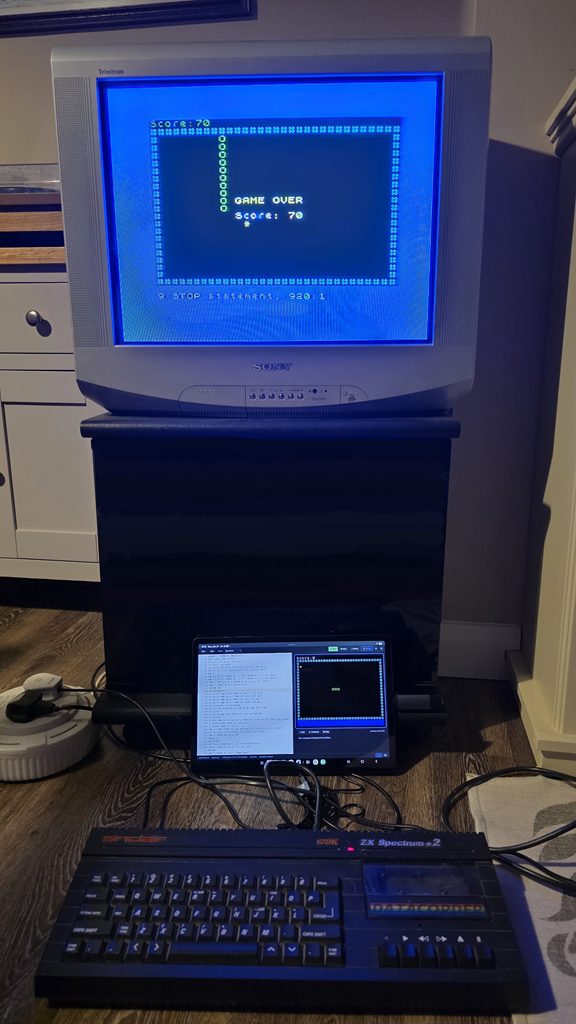
Both directions share the same three paths (which are available depends on the target): cassette audio, a downloadable image file, and a serial bridge.
Open the ⇥ Hardware dialog to choose. It has an Export side (send to the machine) and an Import side (read back from the machine).
Cassette audio
For machines that loaded from tape, Basically can synthesise the tape signal:
- Connect your device's headphone jack to the machine's EAR / aux socket and turn the volume up to maximum.
- On the machine, start a load - on the ZX81 that's
LOAD ""(or the equivalent for your machine). - In the IDE choose ⇥ Hardware ▸ Play through speakers, or download a
.wavto play later.
If loads fail on temperamental hardware, enable robust mode, which lengthens the leader/pilot tone.
Basically can also go the other way: it can decode a cassette recording (from the mic / line-in or a .wav) back into editable source. The decoders estimate bit timing from the recovered signal, so they tolerate playback-speed and clock drift.
The exact tape encoding for each machine is documented under File formats ▸ Cassette audio.
Image files (SD interfaces)
If your machine has an SD or disk interface, download the native image - for example the ZX81 .P file (for ZXpand and friends), a Spectrum .TAP, or a Commodore .prg - and copy it across. You can also import these images back into the editor.
See File formats for the layout of each format.
Serial bridge (WebSerial)
Any microcontroller (Arduino, Pi Pico, ESP32 …) running the bridge firmware can receive programs directly over WebSerial from Chrome or Edge. The IDE pushes the built image to the bridge, which then delivers it to the machine - either by re-encoding it as a tape signal on a GPIO pin, or (with bus access) by injecting it into RAM.
This feature is experimental. The bridge firmware is out of scope for this project, but the wire protocol it must implement is fully specified under Serial bridge protocol.
Importing existing programs
Using Import you can import an existing machine image or decode a cassette-audio recording back into editable source using the same methods as above.
Please note the Import reads tokenised source code, it does not disassemble machine code. If you want to hack around on third-party commercial programs/games you will need to legally obtain a copy of the source code first.