Publish to Web
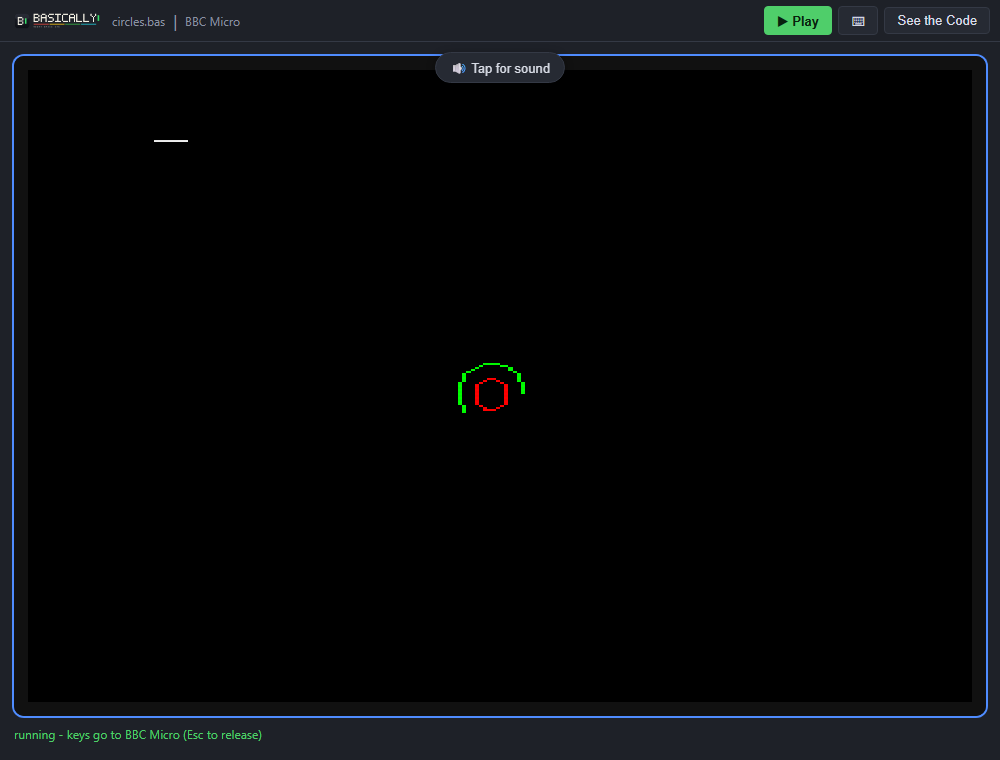
Publish to Web turns your program into a short link that anyone can open in a browser to play it straight away. The link opens a standalone player: a fully-responsive site with just the emulator and controls.
Generate a link
- Load/create the program you want to share and pick the target machine it should run on - the link uses the target machine that is currently selected.
- Choose File ▸ Publish to Web…. Basically uploads the program and creates a short link for it. (This requires Internet access)
- The dialog shows the link in a Publish to Web panel: press Copy to put it on the clipboard, or Share… (on devices that support this) to hand it straight to another app.
Each link is tied to the machine that was selected when you published (chain for BBC Micro for example). To share the same program for a different system, switch the target and publish again.
Share it and open it
Send the link however you like. Opening it needs nothing but a browser: the program downloads, the emulator boots, and it runs automatically. The ▶ Play button restarts it at any time.
The See the Code button (top-right) opens the editor with your program loaded and the right machine selected, ready to read, tweak and run. Nothing is locked - anyone who receives a link can open it up, learn from it, and make it their own.
On phones and tablets
As well as physical keyboards, the standalone player is built for touch. On mobile or touch devices it offers the same two on-screen controls as the IDE:
- A virtual keyboard for programs that expect typed input
- A virtual gamepad for games that read a joystick or cursor keys.